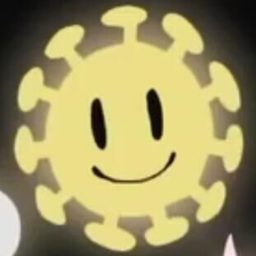
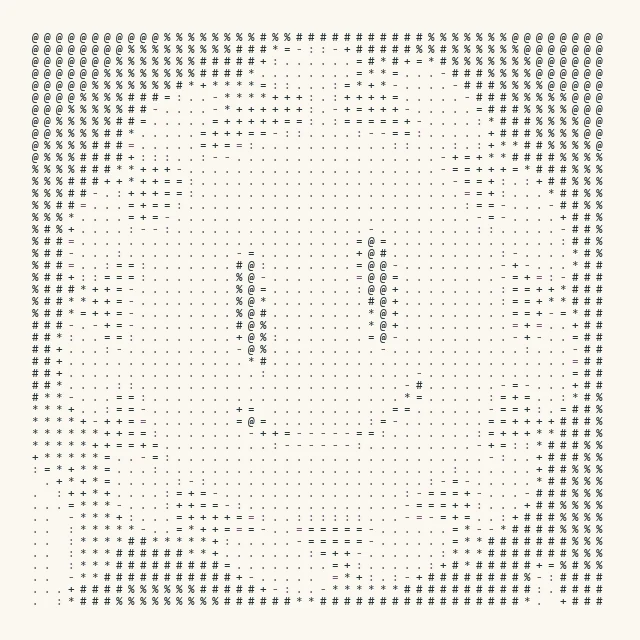
I recently started experimenting with ASCII art. A common algorithm divides the source into fixed-size image blocks, then selects one character for each block by average grayscale.
The implementation usually builds a lookup table from grayscale to characters, such as [0~255] -> [0-9a-zA-Z!@#$%^&*()], then applies alignment or histogram equalization.
For a concrete implementation of this approach, see Zhihu: ASCII Art—from Getting Started to Looking Down on It.
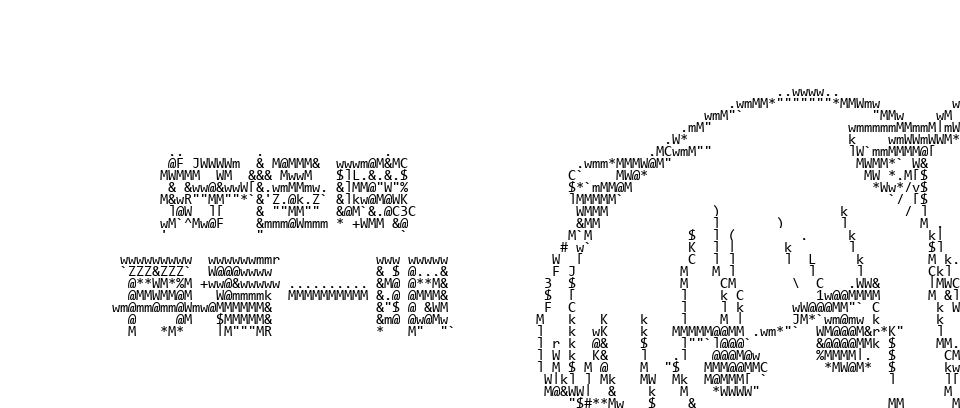
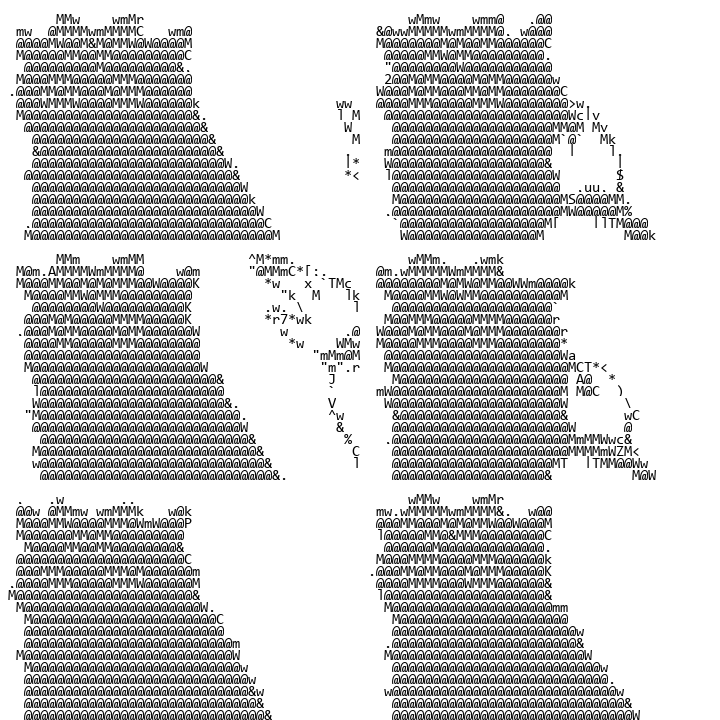
Average-grayscale matching is intuitive and concise, but it does not compare stroke position. Consider the following images:
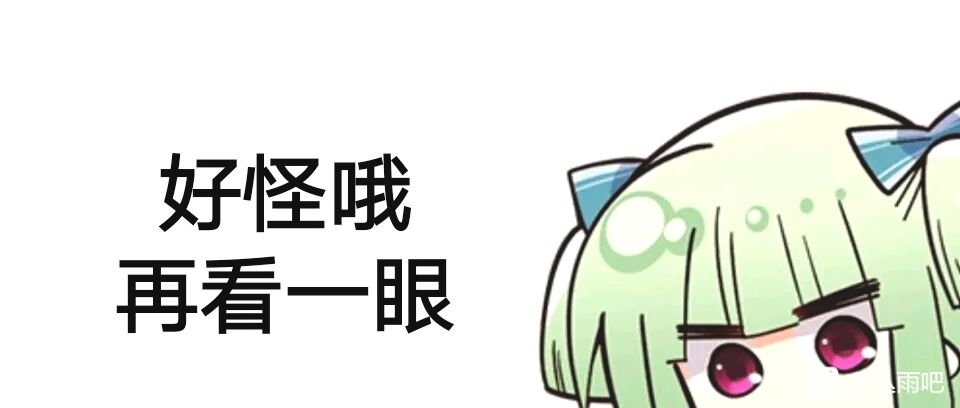
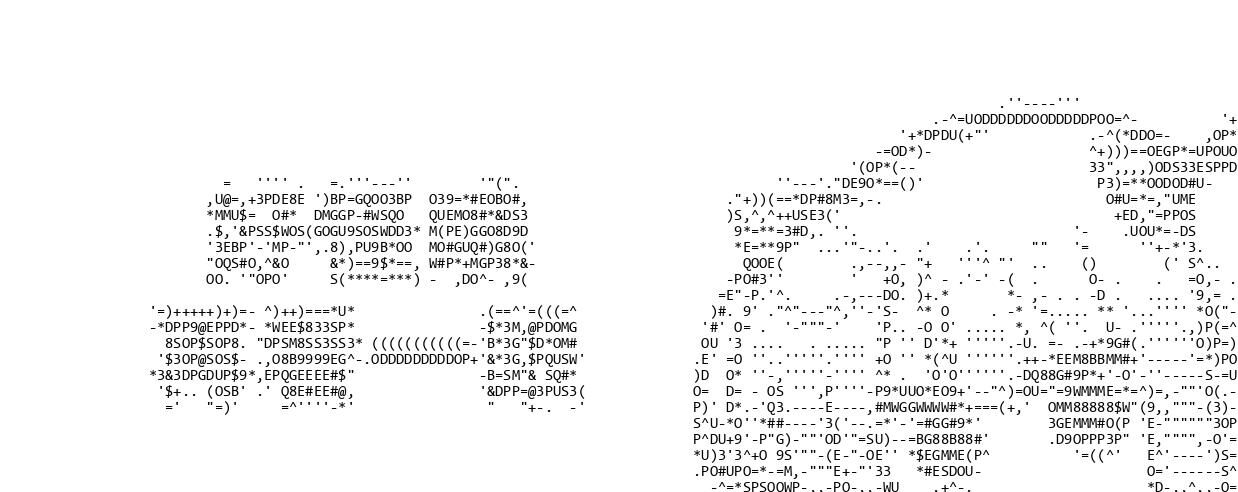
The upper edge of the Chinese character “好” contains a separate row of apostrophes ('), while the upper edge of “一” becomes a vertical left parenthesis (() with a broken horizontal stroke. Characters with similar average grayscale can still have completely different stroke directions.
From an image-processing perspective, the method downsamples by character size and replaces each image block with a glyph of similar average grayscale. A mismatch between the glyph and source contour creates structured error.
This article compares image blocks directly with glyph templates so that character strokes follow source contours more closely.
Principle of Glyph Matching
Before generation, fix the candidate characters, font, and size, then render every character as an equal-sized grayscale glyph template. For example, a “工” pattern spanning 3×3 character positions can be assembled from {1-+}:
-+-
 1
-+-
Each character position corresponds to a fixed-size image block. The algorithm compares that block with every glyph template pixel by pixel and selects the template with the lowest loss.
Let $I$ be the image block and $\hat I$ a candidate glyph template, with height $h$ and width $w$. The first metric is mean squared error (MSE):
\[J_{\mathrm{pixel}}=\frac{1}{hw}\sum_i\sum_j(I_{ij}-\hat I_{ij})^2.\]A candidate set is far smaller than the number of possible image blocks. For example, an 8×16 block of 8-bit pixels has $256^{8\times16}$ possible values, while 100 characters provide only 100 glyph templates. The algorithm therefore finds the minimum loss within the candidate set; the result remains constrained by the characters, font, size, and block dimensions.
Repeating the match for all blocks produces the complete ASCII-art image.
Implementing Glyph Matching
The implementation has two steps: pre-generating glyph templates and matching image blocks.
Pre-generating Glyph Templates
Once the candidate characters and font are fixed, the grayscale glyph templates can be rendered and stored in advance.
The templates and source image become NumPy arrays for batched calculations. The result is converted back to PIL.Image at the end.
All templates must have the same dimensions. Even with a monospaced font, rendered bounds may differ by one pixel; this implementation crops larger templates to the smallest width and height. A more complete implementation should also align baselines and glyph bounds to avoid removing useful strokes.
Finally, np.stack combines the templates into an array of shape (num_chars, h, w) for batched loss calculations.
Matching Image Blocks
The source image is padded and divided according to the template dimensions. For each block, the code subtracts all glyph templates at once, computes the loss, and selects the character returned by argmin.
The result is shown below:
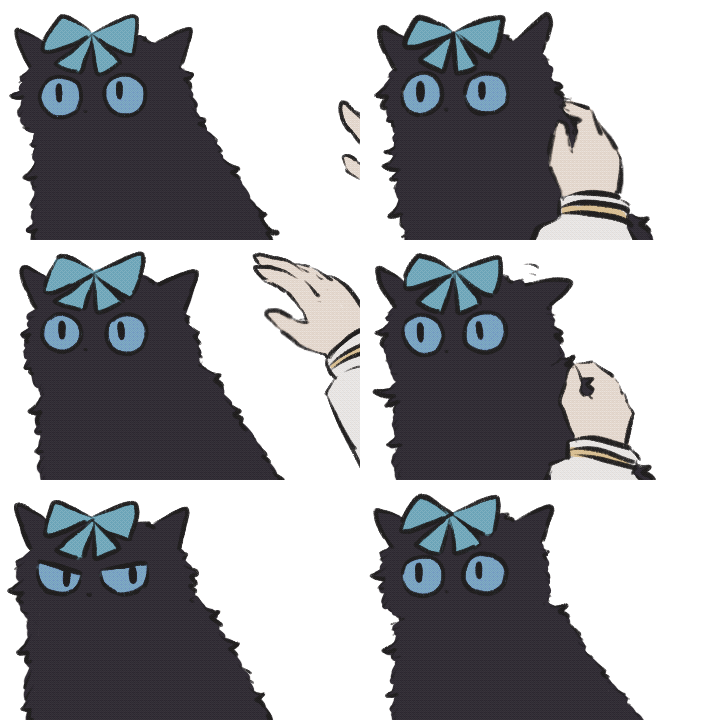
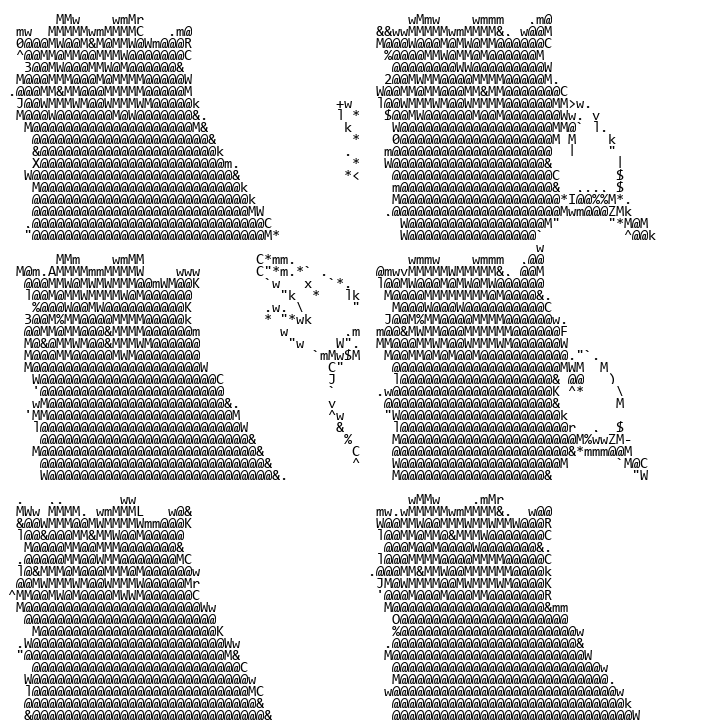
The hand contour and fur directions are more continuous than in the average-grayscale result, but the low-contrast detail on the cat’s face remains blurry.
Additional Improvements
Histogram Equalization
The candidate glyphs provide a limited range of grayscale values. Histogram equalization redistributes source intensity so that some low-contrast detail enters the available range.
The improved result is shown below:
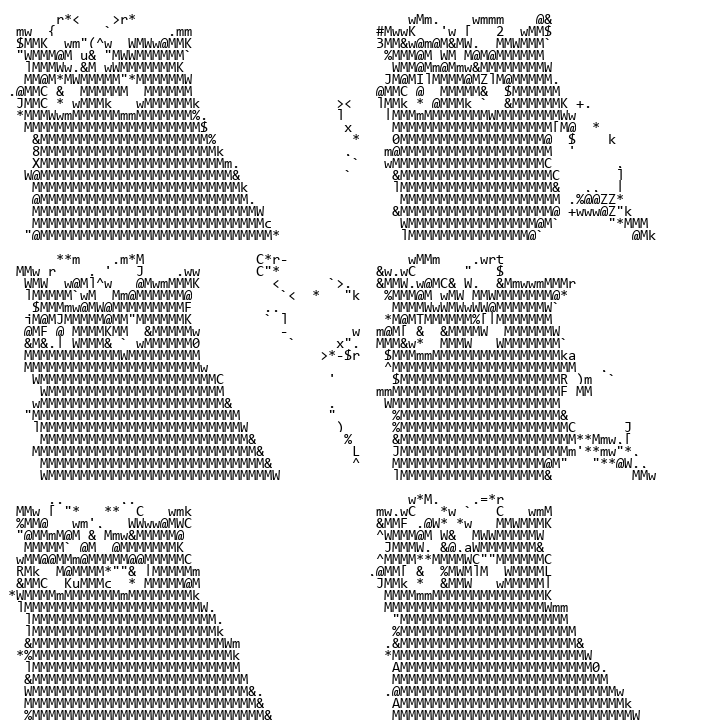
The cat’s eyes and bow are brighter, while the hand contour is weaker.
Per-frame histogram equalization introduces two problems:
- Independent mappings can make the same object change intensity between frames. A keyframe or the complete animation can supply one global mapping;
- Equalization can move overall brightness outside the effective intensity range of the glyph templates. Matching a target histogram may help, but this article does not implement it.
Comparing Both Glyph Shape and Average Grayscale
Pixel MSE responds to both stroke position and intensity. With black-and-white glyph templates and mid-gray image blocks, however, stroke error can dominate the difference in block-average grayscale.
I therefore add an average-grayscale loss:
\[J_{\mathrm{gray}}=\left(\frac{1}{hw}\sum_i\sum_j(I_{ij}-\hat I_{ij})\right)^2.\]The total loss is a weighted sum:
\[J=\lambda_{\mathrm{pixel}}J_{\mathrm{pixel}}+\lambda_{\mathrm{gray}}J_{\mathrm{gray}}.\]The improvement is shown below. Original:
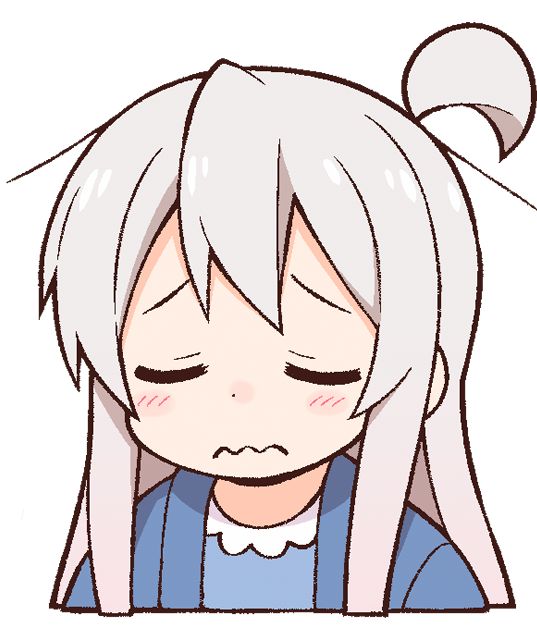
After the improvement:
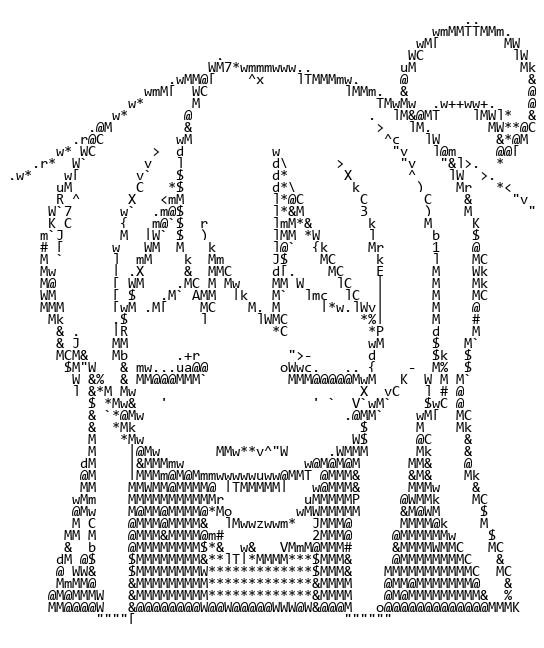
The result retains more contours and some grayscale regions. The two weights control the relative influence of glyph shape and average grayscale.
Before combining the losses, inspect their numerical ranges. If one is several orders of magnitude larger, the weights become hard to interpret and the match remains biased toward that term. The result with the initial weights is shown below:
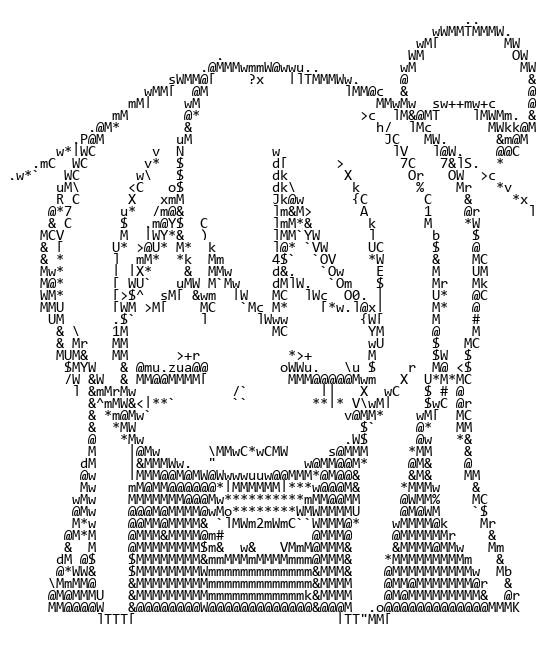
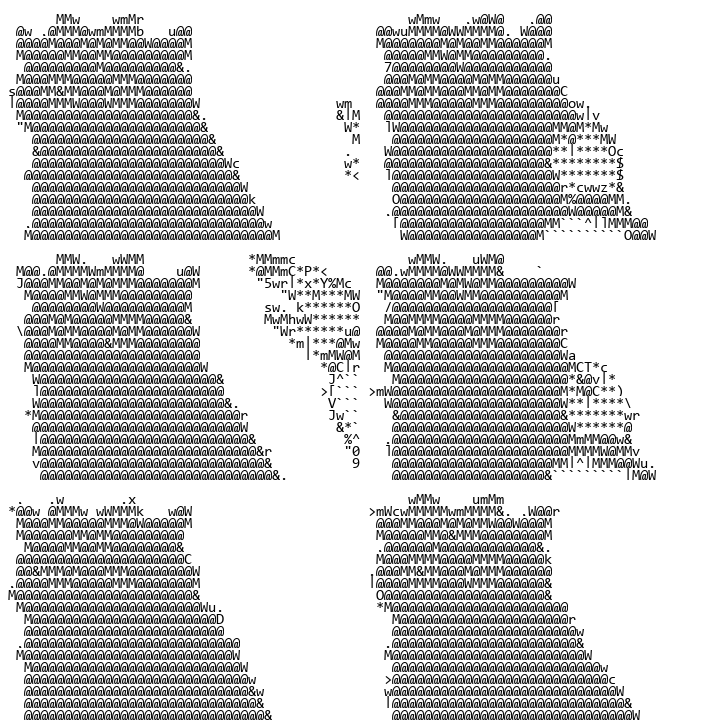
This result is visibly biased toward average grayscale, showing that the initial weights do not balance the two losses. A later implementation could estimate both loss distributions on representative samples before choosing normalization or weights.
NoneBot2 Source Code
I implemented the method in Python within the NoneBot2 framework for QQ bots. In the historical code below, grayscaleloss corresponds to $J_{\mathrm{gray}}$ and l2loss to $J_{\mathrm{pixel}}$.
import numpy as np
from PIL import Image, ImageFilter, ImageDraw
from PIL.Image import Image as IMG
from PIL.ImageOps import equalize
from typing import List, Dict, Optional

from nonebot_plugin_imageutils.fonts import Font
from nonebot_plugin_imageutils import BuildImage, Text2Image

from .download import load_image
from .utils import UserInfo, save_gif, make_jpg_or_gif, translate
from .depends import *

charpic_char_map = r' `1234567890-=qwertyuiop[]\\asdfghjkl;\'zxcvbnm,./!@#$%^&\*\(\)_\+QWERTYUIOP{}\|ASDFGHJKL:"ZXCVBNM<>\?'
charpic_char_num = len(charpic_char_map)
charpic_char_font = Font.find("Consolas").load_font(15)
charpic_char_img = None  # (char_num, h, w)
def _init_charpic():
    global charpic_char_img
    def make(char) -> BuildImage:
        text = "\n".join([char])
        w, h = charpic_char_font.getsize_multiline(text)
        text_img = Image.new("RGB", (w, h), "white")
        draw = ImageDraw.Draw(text_img)
        draw.multiline_text((0, 0), text, font=charpic_char_font, fill="black")
        return BuildImage(text_img)
    charpic_char_img = list()
    for char in charpic_char_map:
        img = np.asarray(make(char).convert("L").image)
        charpic_char_img.append(img)
    char_h = min(img.shape[0] for img in charpic_char_img)
    char_w = min(img.shape[1] for img in charpic_char_img)
    for i in range(charpic_char_num):
        charpic_char_img[i] = charpic_char_img[i][:char_h, :char_w]
    charpic_char_img = np.stack(charpic_char_img, axis=0)  # (char_num, h, w)

def charpic(img: BuildImage = UserImg(), arg: str = Arg()):
    if charpic_char_img is None:
        _init_charpic()
    _, char_h, char_w = charpic_char_img.shape

    def make(img: BuildImage) -> BuildImage:
        img = img.convert("L").image
        if '平衡' in arg:
            img = equalize(img)
        img = np.asarray(img)
        img_h, img_w = img.shape
        img_h_ = img_h if img_h % char_h == 0 else ((img_h // char_h) + 1) * char_h
        img_w_ = img_w if img_w % char_w == 0 else ((img_w // char_w) + 1) * char_w
        img_ = np.ones((img_h_, img_w_), dtype=np.int32) * 255
        img_[:img_h, :img_w] = img

        p_h = 0
        while p_h < img_h_:
            img_h = np.repeat(np.expand_dims(img_[p_h:p_h + char_h], axis=0), charpic_char_num, axis=0)
            p_w = 0
            while p_w < img_w_:
                bias = img_h[:, :, p_w:p_w + char_w] - charpic_char_img
                grayscaleloss = np.square(bias.mean(2).mean(1))
                l2loss = np.square(bias).mean(2).mean(1)
                loss = grayscaleloss + l2loss
                img_[p_h:p_h + char_h, p_w:p_w + char_w] = charpic_char_img[loss.argmin()]

                p_w = p_w + char_w
            p_h = p_h + char_h
        img_ = Image.fromarray(img_)
        return BuildImage(img_)

    return make_jpg_or_gif(img, make)
Comments
Comments are public and stored in GitHub Discussions. This page connects to giscus.app and GitHub and sends the current page path only after you show comments manually or enable automatic loading. The first load is about 0.13 MB; actual usage varies with comment content. Do not include private information.